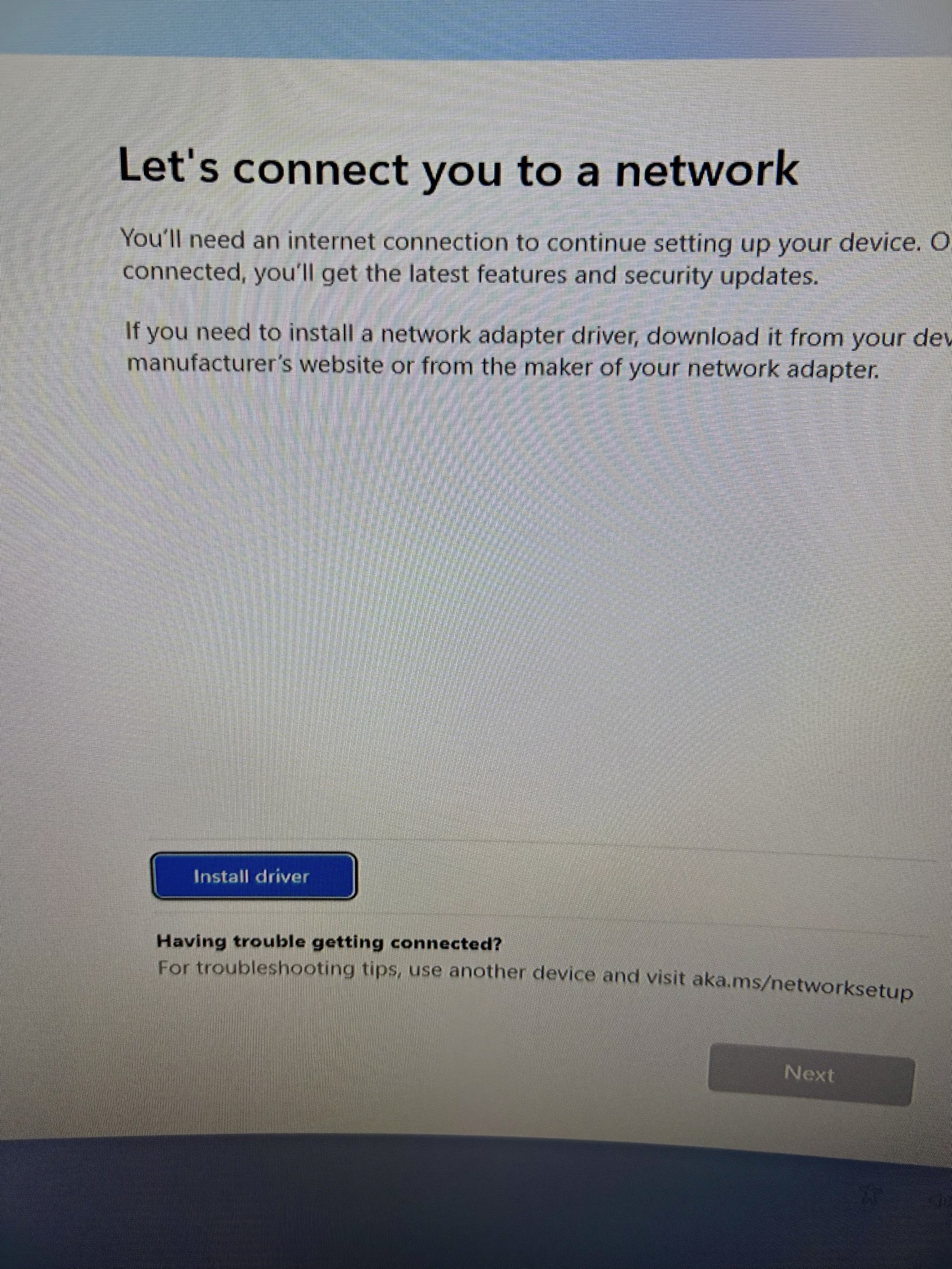
It is the year 2026, and a Windows 11 installer can’t detect the WiFi adapter in this mini PC I’m reviewing.
-
It is the year 2026, and a Windows 11 installer can’t detect the WiFi adapter in this mini PC I’m reviewing.
And get this: it’s not accepting wired keyboard input to run OOBE\BYPASSNRO even though it accepts the shift+F10 to open command prompt!
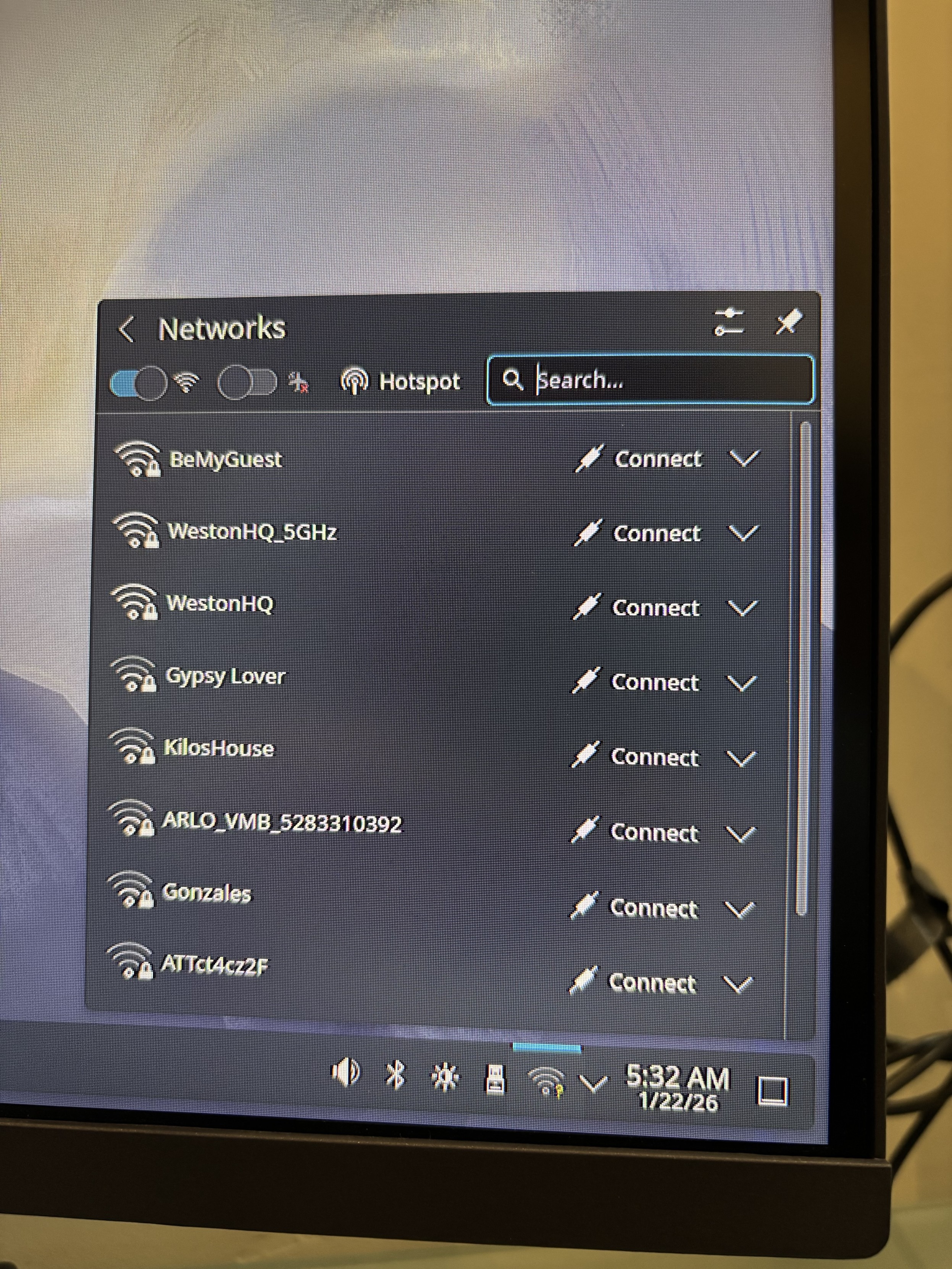
But a live session of @fedora has no problem with either device.
Oh, how the tables have turned...
@killyourfm This image already has alt-text
―
A screenshot shows a "Networks" interface on a device. At the top, "Networks" is displayed with a back arrow, a Wi-Fi toggle (on), a hotspot toggle (off), a hotspot icon, and a search bar with "Search...". Below, a list of wireless networks includes "BeMyGuest", "WestonHQ_5GHz", "WestonHQ", "Gypsy Lover", "KilosHouse", "ARLO_VMB_5283310392", "Gonzales", and "ATTct4cz2F", each with a Wi-Fi icon and a "Connect" button with a downward arrow. The bottom status bar shows volume, Bluetooth, brightness, and Wi-Fi icons, plus the time "5:32 AM" and date "1/22/26".Provided by @altbot, generated privately and locally using Qwen3-Vl:30b
 Energy used: 0.082 Wh
 -
It is the year 2026, and a Windows 11 installer can’t detect the WiFi adapter in this mini PC I’m reviewing.
And get this: it’s not accepting wired keyboard input to run OOBE\BYPASSNRO even though it accepts the shift+F10 to open command prompt!
But a live session of @fedora has no problem with either device.
Oh, how the tables have turned...
@killyourfm @fedora advertising malware vs a well crafted operating system.
-
It is the year 2026, and a Windows 11 installer can’t detect the WiFi adapter in this mini PC I’m reviewing.
And get this: it’s not accepting wired keyboard input to run OOBE\BYPASSNRO even though it accepts the shift+F10 to open command prompt!
But a live session of @fedora has no problem with either device.
Oh, how the tables have turned...
@killyourfm I have been treating Windows the same as the stock photo of a family that comes in a photo frame for... Bloody hell, 5 years now
-
It is the year 2026, and a Windows 11 installer can’t detect the WiFi adapter in this mini PC I’m reviewing.
And get this: it’s not accepting wired keyboard input to run OOBE\BYPASSNRO even though it accepts the shift+F10 to open command prompt!
But a live session of @fedora has no problem with either device.
Oh, how the tables have turned...
@killyourfm @fedora If you don't slipstream your drivers Windows has issue with a lot of drivers.
Ironic that Linux which struggled with networking hardware a decade ago is far better than Windows today.
-
@killyourfm @fedora If you don't slipstream your drivers Windows has issue with a lot of drivers.
Ironic that Linux which struggled with networking hardware a decade ago is far better than Windows today.
@rlounsbury @fedora YES, exactly!
Linux is now the "it just works" solution. -
It is the year 2026, and a Windows 11 installer can’t detect the WiFi adapter in this mini PC I’m reviewing.
And get this: it’s not accepting wired keyboard input to run OOBE\BYPASSNRO even though it accepts the shift+F10 to open command prompt!
But a live session of @fedora has no problem with either device.
Oh, how the tables have turned...
@killyourfm @fedora I had the same issue with testing samples. Even if the laptop had windows pre installed I was unable to reinstall it with clean windows ISO. I don't remember the details but there was a trick to put drivers into a USB stick and load it. Another way was to use ISO from an OEM website which is not always available. Of course on Linux everything worked ootb
-
It is the year 2026, and a Windows 11 installer can’t detect the WiFi adapter in this mini PC I’m reviewing.
And get this: it’s not accepting wired keyboard input to run OOBE\BYPASSNRO even though it accepts the shift+F10 to open command prompt!
But a live session of @fedora has no problem with either device.
Oh, how the tables have turned...
@killyourfm I still remember when getting WiFi to work on Linux was even worse than on windows (though I often ended up burning a CD or copying windows drivers to a thumb drive on a library PC or similar after some catastrophic thing happened to my windows install). Then intel made wifi chipsets and it all became fine? That's roughly how I remember it... (Broadcom still has a tainted name for me)
-
@killyourfm I still remember when getting WiFi to work on Linux was even worse than on windows (though I often ended up burning a CD or copying windows drivers to a thumb drive on a library PC or similar after some catastrophic thing happened to my windows install). Then intel made wifi chipsets and it all became fine? That's roughly how I remember it... (Broadcom still has a tainted name for me)
@freaktechnik Oh definitely! I remember several laptops I tested around 2018/2019 (when I first started using Linux) that were nightmares to get the WiFi/BT running.
I haven't had that kind of issue again in at least the last 3 or 4 years.
-
@freaktechnik Oh definitely! I remember several laptops I tested around 2018/2019 (when I first started using Linux) that were nightmares to get the WiFi/BT running.
I haven't had that kind of issue again in at least the last 3 or 4 years.
@killyourfm man, I just remembered that for a while I'd tether my phone and use wifi from the phone via usb tethering because that was the most reliable somehow. Things sure got way smoother since the first year of the Linux desktop.
-
It is the year 2026, and a Windows 11 installer can’t detect the WiFi adapter in this mini PC I’m reviewing.
And get this: it’s not accepting wired keyboard input to run OOBE\BYPASSNRO even though it accepts the shift+F10 to open command prompt!
But a live session of @fedora has no problem with either device.
Oh, how the tables have turned...
@killyourfm @fedora and then it updates to fix the issues left by the last update, creating new issues in the process.
-
@rlounsbury @fedora YES, exactly!
Linux is now the "it just works" solution.@killyourfm @rlounsbury @fedora I feel darn lucky that the Win11 I set up the other day stil took oobe\nobypasssnro. But I was prepared with start+ms-cxh:localonly just in case that failed. I've heard there are other circumventions as well, one of which involves several convoluted steps.
What really sucks though is that none of these commands are as well-documented as Linux stuff. Sure, open-source stuff isn't without its fair share of bugs and crashes, but the documentation (and community support, for that matter) is far, far better. On Windows, I sometimes have to hope a miracle occurs after following some instructions to do whatever in Powershell or tweak things in the registry. On Linux I can look up actual explanations for miracles before I even conjure them.
-
 P Pteryx the Puzzle Secretary shared this topic on